
Materials
QR codes and biometric access: what the code really does, and what it does not
The square on the screen does not check your face. It only carries a short-lived proof that the check already happened. The security of the whole system rests on three things around the code — and none of them is the code itself.
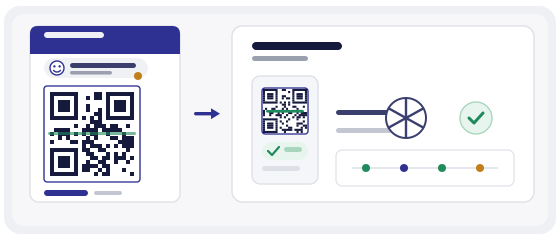
Not sure about a code? The scanner shows the address before it opens.
Check a codeLet us clear up the confusion first
"Biometric QR" sounds as if your fingerprint were baked into the square. Nothing of the sort. Inside the square is ordinary text — usually a short link or a long string of characters.
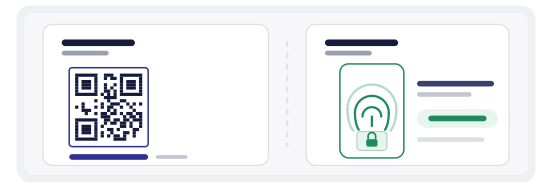
The fingerprint never leaves the phone. It unlocks a key stored in a protected part of the device, and that key signs whatever appears on the screen. The code is simply how the signature travels onward, to a turnstile or a camera.
So the accurate sentence is this: a QR code does not make access biometric. It makes a biometric check portable.
What is actually inside the square
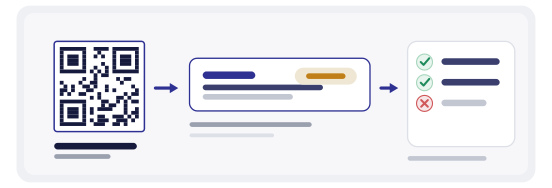
Most often it is not a plain address but a token — a string the server recognises and validates. There are three common variants, and they could hardly be more different in their consequences.
The three things holding the system up
Remove any one of them and you keep the convenience while losing the security. Worth saying out loud before you order any hardware.
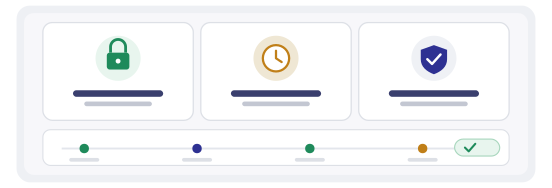
- Validation on the server. The door does not trust the picture. It asks the server whether this token is valid, whether it has already been used, and whether this person may enter this particular door.
- A short lifetime. The token has to die faster than a person can show it to someone else. Seconds and minutes are normal. Days are not.
- A tie to a device or a session. The signature comes from one specific phone. If the same token arrives from a different device, that is an alarm, not an entry.
And a fourth, dull but mandatory one: a log. Who, when, which door, from which device. Without it you will never notice that a single code has been circulating around the office for a week.
What it looks like at a real door
A person walks up to the turnstile. Takes out a phone and unlocks it with a face or a finger — that is where the biometric check happens, on their own device. The app shows a square.
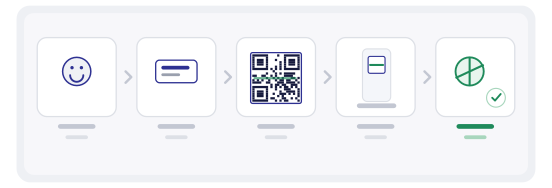
The reader scans it, sends the token to the server and waits for an answer. If the token is valid and this person may enter this door at this moment, the gates open. The whole path takes under a second, which is exactly why it works in a crowd at the entrance.
One detail matters more than it looks: when the network drops, the door has to know what to do. Opening wide is a risk. Locking solid is also a risk, because people will start holding the door with their hands. That is a decision made in advance, not during the outage.
Where it genuinely fits
The technology works well where there are many people and access rights change often.
Where it is a bad idea
Some places make QR access more trouble than it solves, and it is better to admit that before rollout.
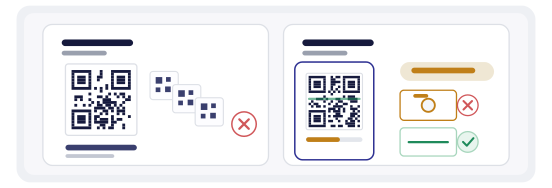
A printed sticker with a permanent code
The worst option available. The code never changes, someone photographs it once, and everyone who saw that photo has access. That sticker should be removed, not protected.
A screen code with a short lifetime
The same square, but the content refreshes every few seconds. Screenshots are useless, forwarding is useless. This is the only variant worth considering.
A bad access code gives itself away with one question: if I photograph it now and show it an hour later, will it still work? If yes, there is no protection.
What the code does not do
Better to drop the wrong expectations up front, because that is where people trip.
It does not prove that the person is who they claim to be. It proves only that the token was issued after a successful check. The difference shows up when an unlocked phone is left on a desk.
It does not replace a guard. It does not stop someone walking in behind a colleague. It does not work without power or without a network unless you have designed a local fallback.
And it does not make a system secure by itself. The square is the last link in the chain, not the whole chain.
The most common mistakes
- Printing a permanent code on a badge and calling it biometric access.
- Checking only the image on the device, without asking the server.
- Setting the token lifetime to a day because "it is easier for testing".
- Keeping no log, then learning about problems from corridor conversations.
- Never deciding in advance how the door behaves without a network.
- Leaving access in place for former contractors because "nobody remembered".
How to check your own scheme in ten minutes
You do not need to buy turnstiles first. It is enough to build one code and watch how it behaves.
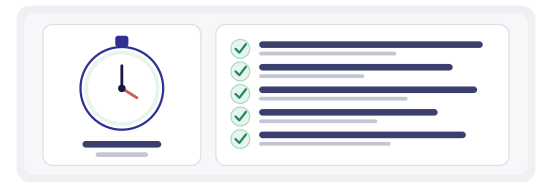
Open the generator and create a dynamic code pointing at a test page. Pretend it is your token: see how long it takes you to change where it leads, and whether the old screenshot still works afterwards.
Then QR Studio: lay it out so the square is readable from a screen and from a smudge on a plastic card. Check with the scanner what it shows before anything opens — in access control that matters, because people should see where they are being sent.